RQIConverter
- ダウンロード商品通常版¥ 1,000
- ダウンロード商品支援版(通常+Beta版)¥ 1,500
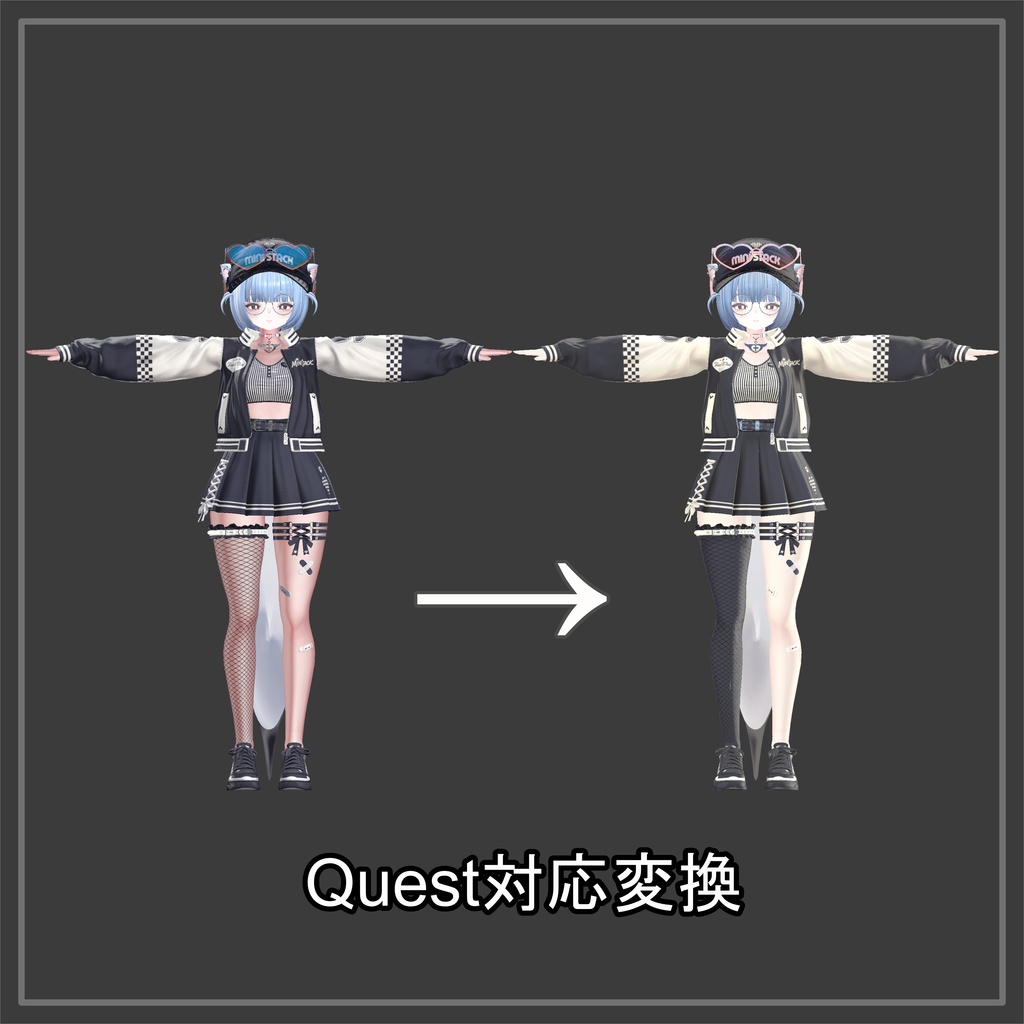
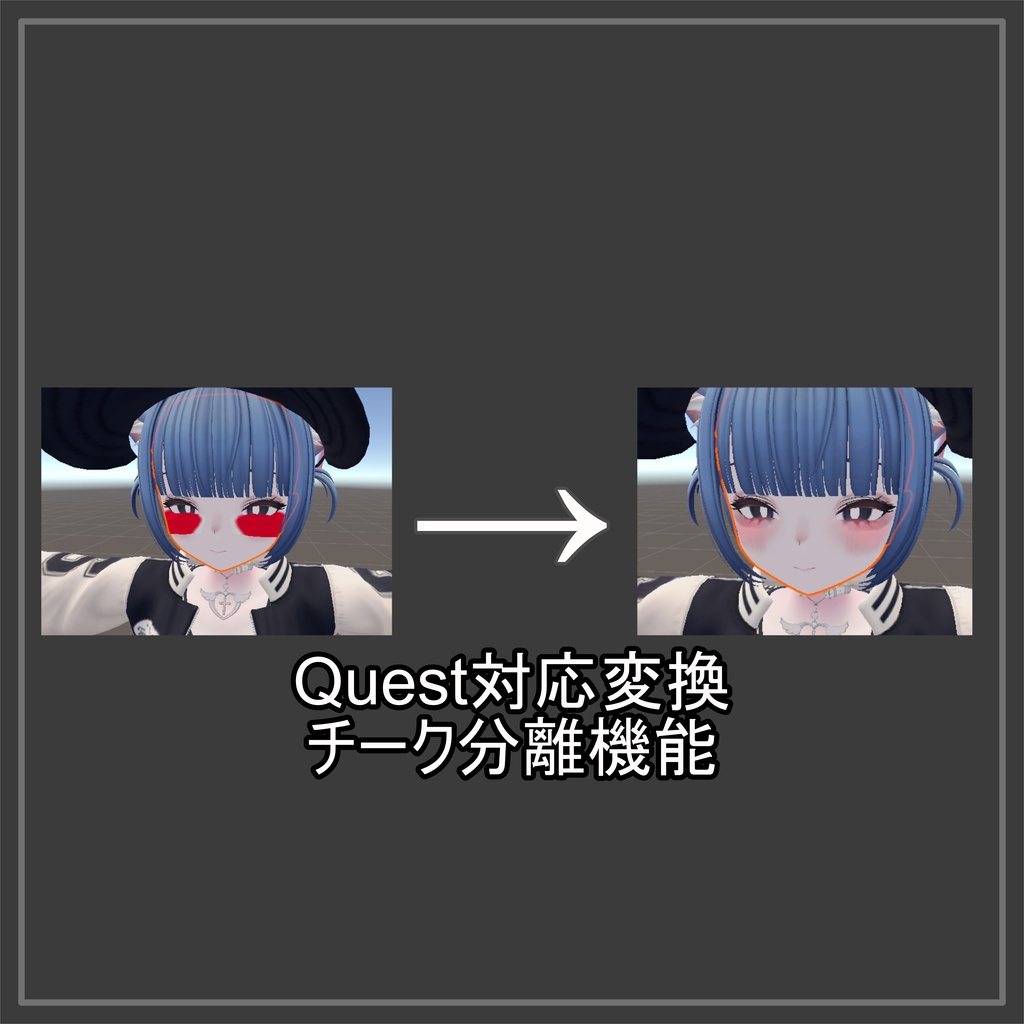
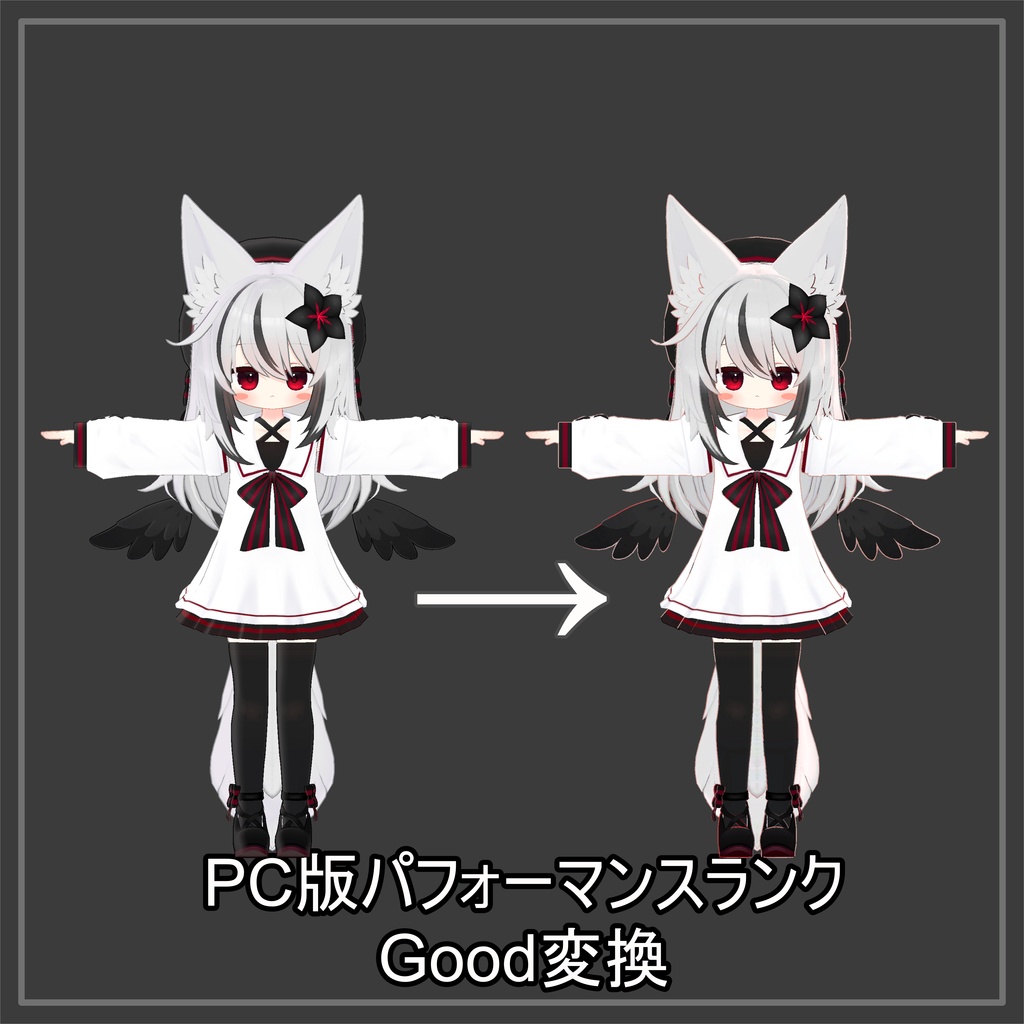
PC専用アバターを、ワンウィンドウでQuest / iOS対応へ。 機能一覧・説明サイト https://www.regucreate.com/booth_item/RQIConverter/manual Quest・iOS対応、やることが多すぎてめんどくさいですよね... このツールはその問題を解決する完全非破壊・高精度最適化ツールです。 シェーダー変換/容量削減/非対応要素の整理/容量チェック/アップロードまで、 ひとつのウィンドウのタブを切り替えるだけで完結します。 元アバターには一切手を加えないので、何度でもやり直せます。 チーク,青ざめ,メガネなどの半透明設定や、金属の保持、できる限り見た目を維持するポリゴン数削減等、色々な機能が詰め込まれています。 最適化プラットフォームを変更すれば、PC向けにポリゴン数を削ったりするなどのパフォーマンスランク上げにも使用可能です! 質問及び不具合報告などのサポートはX(https://x.com/regu56)のDMにて承ります。ただし、エラーなどの場合は初めからエラー文も送ってください。 感想をXで#reguCreate、又はRQIConverterと共にポストしていただけますと励みになります! Convert PC-exclusive avatars for Quest and iOS compatibility—all in a single window. Making avatars compatible with Quest and iOS involves so many steps—it’s a real hassle, isn’t it? This tool is a completely non-destructive, high-precision optimization tool that solves that problem. From shader conversion, file size reduction, and removal of unsupported elements to file size checks and uploads, you can complete the entire process simply by switching tabs within a single window. Since the original avatar remains completely untouched, you can redo the process as many times as you like. It’s packed with a variety of features, including semi-transparent settings for cheeks, pale skin, and glasses; the preservation of metal textures; and polygon reduction that maintains the appearance as much as possible. If you don't enable shader conversion or the removal of unsupported components, you can also use this to improve performance rankings—for example, by reducing the number of polygons for PC versions! For support, including questions and bug reports, please send a DM via X (https://x.com/regu56). However, if you encounter an error, please send the full error message from the start.
主な機能 / Key Features
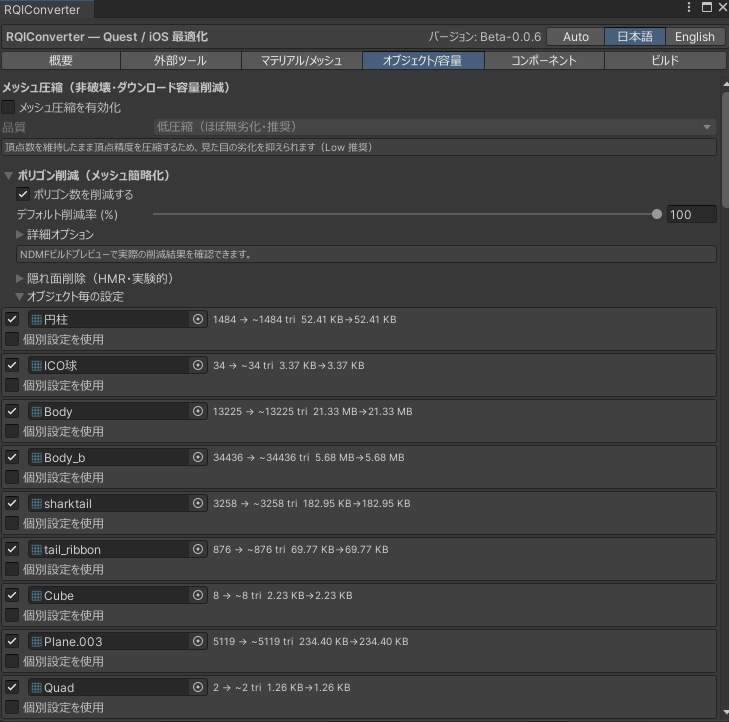
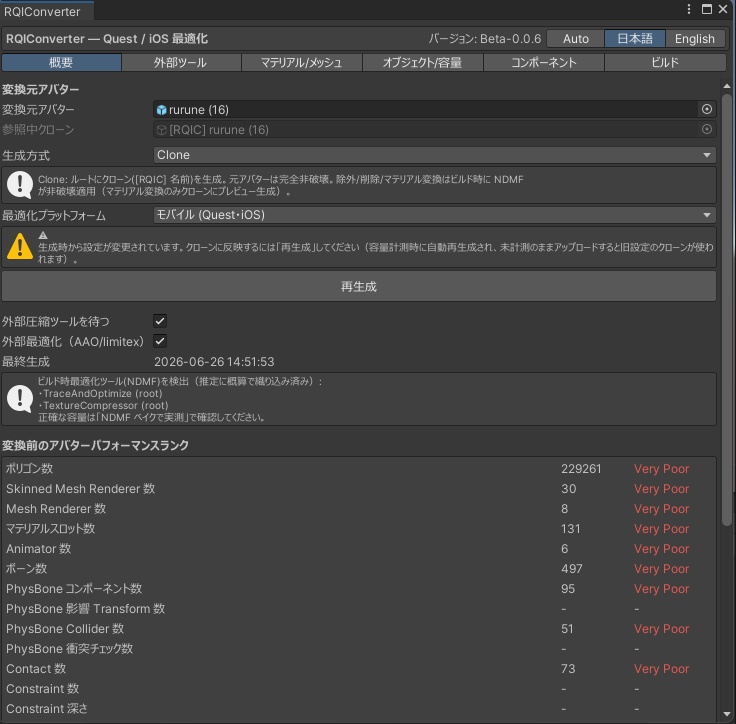
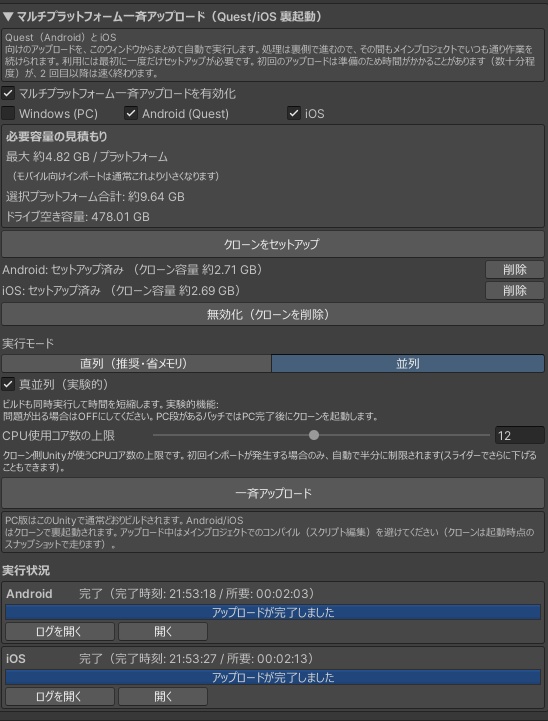
■ モバイルシェーダーへ自動変換(非破壊) ・Toon Lit(軽量)/ Toon Standard(高精度)/ MatCap Lit から選択 ・色・テクスチャ・発光・法線などをできるだけ引き継いで自動変換 ・明るさ・影・発光のオン/オフなど、見た目を細かく調整可能 ・半透明・屈折マテリアルメッシュをBlendShape指定やマテリアル指定で加算/乗算への振り分け・無効化対応 ・BlendShapeなどの設定を維持 ■ 容量・パフォーマンス対策 ・ポリゴン圧縮、簡略化(見た目をほとんど崩さない専用設計) でメッシュ毎にどれぐらい削減するかを指定できます。 ・アバターパフォーマンスランクを項目別に表示、変換前後を並べて比較 ・アップロード容量を自動推定(推定・キャリブレーション推定・実測・VRC実測の四段階正確維持) ・NDMFを適用したアップロード時にどうなるかのプレビュー出力 ・メッシュ結合、テクスチャのアトラス統合、AAO処理の後の強制結合 ・Expressionメニューによる衣装の切り替えをメッシュ統合しても可能に ■ 不要要素の整理(非破壊) ・Cloth等、非対応及びMissingコンポーネントの自動削除 ・PhysBone / Collider / Contact を一覧化し、Goodランク上限に対する削除後の数を即時表示 ・チェックを入れるだけで維持。実際の削除はアップロード時に自動で行われます ・不要オブジェクトの削除指定、ボーン統合にも対応 ■ 面倒なトラブルを自動回避 ・他ツールがビルド時に追加してしまうQuest非対応シェーダー等を自動で処理 → 「unsupported shader」等でアップロードが弾かれるのを防ぎます ・サードパーティー製スクリプトによってアップロードが妨げられた場合、自動検出して次回以降無効化するかを問います ■ そのままアップロードまで ・このウィンドウから直接、対応プラットフォームを自動で切り替えながらアップロード ・ローカルテストビルドにも対応 ■ 既存の非破壊ワークフローと協調 ・Modular Avatar / AAO(Avatar Optimizer)/ Limitex Avatar Compressor との連携 ・AAO Remove Meshなども使えます。 MAは必須、AAO、LACは導入超推奨です! ■ Automatic Conversion to Mobile Shaders (Non-Destructive) ・Choose from Toon Lit (Lightweight), Toon Standard (High Precision), or MatCap Lit ・Automatically converts while preserving colors, textures, emissive properties, normals, and more as much as possible ・Allows for fine-tuning of appearance, such as brightness, shadows, and emissive on/off ・Supports handling of translucent and refractive materials (switching between additive/multiplicative modes or disabling them) ・Preserves settings such as BlendShapes ■ Memory and Performance Optimization ・Specify the reduction amount per mesh using polygon compression and simplification (custom-designed to minimize visual distortion). ・Displays avatar performance rankings by category and allows side-by-side comparison of pre- and post-conversion results ・Automatic upload size estimation (maintains four levels of accuracy: Estimated, Calibrated Estimation, Actual Measurement, and VRC Actual Measurement) ・Preview output showing the results of an upload with NDMF applied ・Forced merging after mesh merging, texture atlas consolidation, and AAO processing ・Allows costume switching via the Expression menu even after mesh merging ■ Removal of Unnecessary Elements (Non-Destructive) ・Automatic removal of unsupported or missing components (e.g., Cloth) ・Lists PhysBone, Collider, and Contact components and instantly displays the number remaining after deletion relative to the “Good” rank limit ・Simply check the box to keep them; actual deletion occurs automatically during upload ・Supports specifying which objects to delete and bone merging ■ Automatically Avoids Troublesome Issues ・Automatically handles Quest-incompatible shaders and other elements added by third-party tools during the build process → Prevents uploads from being rejected due to “unsupported shaders” ■ Upload Directly from Here ・Upload directly from this window while automatically switching between supported platforms ・Also supports local test builds ■ Integrates with Existing Non-Destructive Workflows ・Integration with Modular Avatar, AAO (Avatar Optimizer), and Limitex Avatar Compressor ・Tools like AAO Remove Mesh can also be used. MA is required; AAO and LAC are highly recommended!
導入&起動 / Installation & Startup
1. UnityPackageをインポート 2. Tools→RQIConverter→Optimizer を押してウィンドウを開きます。 3. 変換したいアバターを入れて変換開始 !!重要!! Quest及びiOSに向けてアップロードするには、Unityのandroid及びiOSのモジュールを先に導入する必要があります。 容量制限など、対応に向けての最低限の知識が必要になる場合があります。 導入後の詳しい手順は、付属マニュアルに機能説明として記載してあります。 1. Import the UnityPackage 2. Click Tools → RQIConverter → Optimizer to open the window. 3. Add the avatar you want to convert and start the conversion. Detailed post-installation procedures are described in the included manual under “Function Descriptions.”
利用規約 / Terms of Use
・ご返金はBOOTHのシステム上できません。 ・アバター、衣装は商品に含まれません。 ・本製品の再配布、自作発言を禁止します。 ・政治的、宗教的なご利用を禁止します。 ・AI学習等へのご利用を禁止します。 ・本製品を使用することで発生した、いかなる損害について当方は一切の責任を負いません。 ・本ソフトウェアは現状有姿で提供されます。 ・Refunds are not available through the BOOTH system. ・Avatars and costumes are not included in this product. ・Redistribution of this product and claiming it as your own creation are prohibited. ・Use for political or religious purposes is prohibited. ・Use for AI training or similar purposes is prohibited. ・We assume no liability whatsoever for any damages arising from the use of this product. ・This software is provided “as is.”
ライセンス / License
https://www.regucreate.com/booth_item/RQIConverter/eula
検証済み動作環境 / Verified Operating Environment
Windows 10/11 Unityバージョン / Unity Version Unity 2022.3(2022.3.22f1で制作) VRC SDKバージョン / VRC SDK Version 3.10.2 NDMF(Non-Destructive Modular Framework)必須 推奨:Modular Avatar / Avatar Optimizer / Limitex Avatar Compressor ※ Windows(PC)環境での利用を想定しています。
クレジット / Credits
LAC: Avatar Compressor https://ltx.booth.pm/items/7856254 Modular Avatar https://modular-avatar.nadena.dev/ja NDMF: Non-Destructive Modular Framework https://github.com/bdunderscore/ndmf AAO: Avatar Optimizer https://booth.pm/ja/items/4885109 lilToon: https://booth.pm/ja/items/3087170 使用アバター IKUSIA様 サメっ子オリジナル3Dモデル「rurune」-ルルネ- https://booth.pm/ja/items/5957830 こまいぬ通り様 オリジナル3Dモデル「ネメシス」-Nemesis- https://booth.pm/ja/items/5986971 画像の衣装 kanatainari様 【無料】丸メガネ&サングラス KI_Glasses【MA】 https://kanatainari.booth.pm/items/8050793 SEI10様 [FREE] [9 avatar] [PB] Mini Stack! https://sei10.booth.pm/items/8414572 スペシャルサンクス 報告して頂いたテスターの皆様
Q&A (よくある質問)
Q1: 更新が来たらどうやってすればいいの? Assets内のRQIConverterを削除してから、新しいunitypackageを導入してください。 Q2: いうほど簡単? 大雑把な設定であればボタン何個か押すだけです! 細かい設定は細部までこだわりたい人向けです。 Q3: Poiyomi シェーダーの対応はしてるの? Ver1.2.0以降のリリースで正式サポートしています。 Q4: 無料の時に発見したバグとか不具合は報告していいの? 是非報告してください!バグのレベルによってはお礼で通常版をお送りするかもしれません!
変更履歴 / Changelog
リリースノート https://www.regucreate.com/booth_item/RQIConverter/releases